

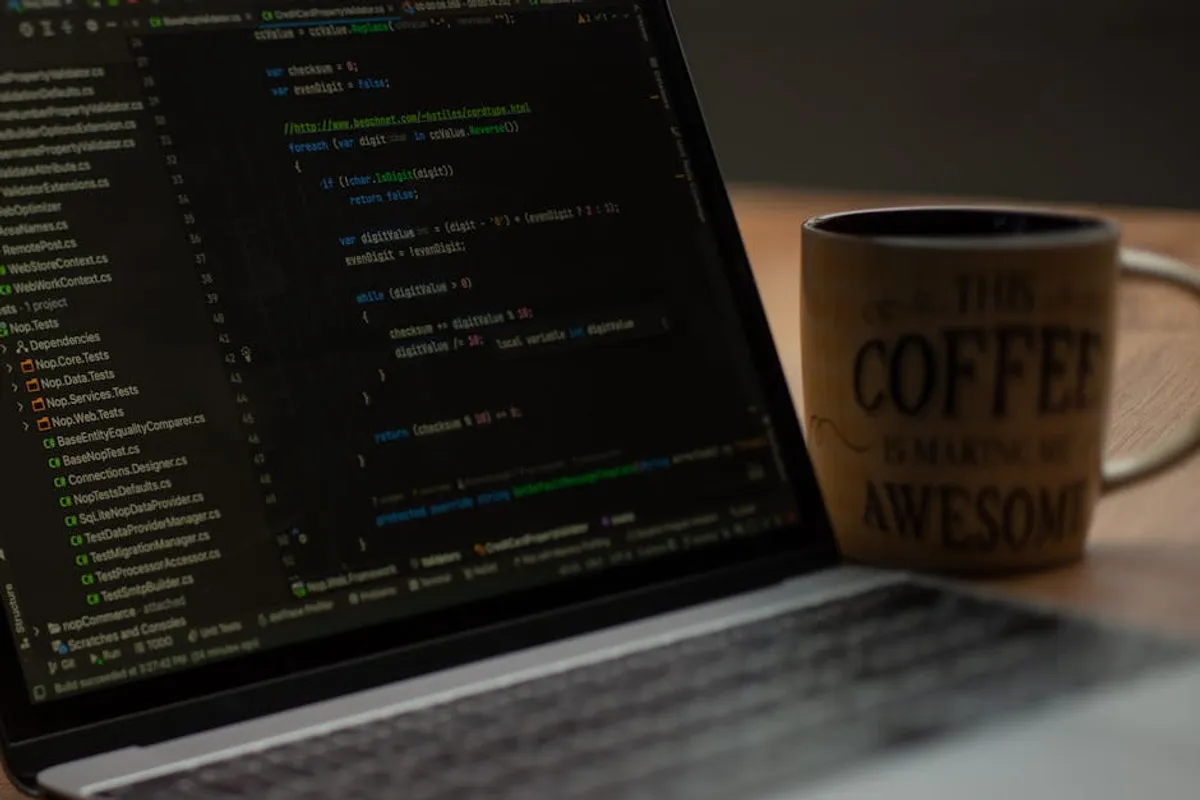
Selecting the optimal code editor for PHP development significantly impacts workflow efficiency, project maintainability, and overall developer productivity. The choice extends beyond mere syntax highlighting; it involves evaluating integrated debugging capabilities, framework-specific tooling, version control integration, extensibility through plugins, and the performance overhead on your system. This guide dissects 12 prominent code editors and Integrated Development Environments (IDEs), offering a comparative analysis to inform your decision based on project scope, team collaboration needs, and personal coding preferences. Evaluating integrated debugging capabilities is also a key factor when selecting the right tool for your PHP projects.
How to Choose a PHP Code Editor
The right code editor or IDE for PHP projects aligns with your specific development practices and project demands. Consider these factors when evaluating options:
- Feature Set: Beyond basic text editing, look for intelligent code completion, real-time error checking, refactoring tools, and integrated debugging. Full IDEs typically offer more out-of-the-box, while lighter editors rely on extensions.
- Performance: A responsive editor that doesn't consume excessive system resources is crucial, especially for larger projects or less powerful machines. Electron-based editors, while feature-rich, can sometimes be resource-intensive.
- Extensibility: The ability to customize and extend functionality through plugins, extensions, or a vibrant community ecosystem ensures the editor can adapt to evolving project needs and integrate with new technologies.
- Debugging Capabilities: Direct integration with Xdebug or similar PHP debuggers streamlines the troubleshooting process, allowing for breakpoints, variable inspection, and step-by-step execution.
- Version Control Integration: Seamless integration with Git, SVN, or other VCS platforms simplifies committing, branching, and merging operations directly within the editor.
- Framework Support: If you work extensively with specific PHP frameworks (e.g., Laravel, Symfony, WordPress), an editor with dedicated support or robust extensions for these frameworks can significantly boost productivity.
- Cost: Options range from completely free and open-source to commercial products with annual licenses. Evaluate the return on investment for paid solutions based on their advanced features and support.
- Community and Support: A strong community provides access to plugins, tutorials, and troubleshooting assistance. Active development ensures ongoing updates and compatibility.
1. PhpStorm
PhpStorm, developed by JetBrains, stands as a premier Integrated Development Environment (IDE) specifically engineered for PHP and web development. It delivers an extensive suite of tools including intelligent code completion, on-the-fly error prevention, advanced refactoring capabilities, and robust debugging. Its deep understanding of PHP frameworks like Laravel, Symfony, and WordPress, along with front-end technologies such as JavaScript, HTML, and CSS, makes it a comprehensive solution for complex projects. PhpStorm integrates seamlessly with version control systems, databases, and deployment tools, providing a cohesive development environment that aims to maximize developer efficiency through smart features and a highly customizable interface.
Best for: Professional PHP developers, large-scale enterprise projects, and teams requiring a fully integrated development environment with advanced debugging and framework support.
Pros:
- Exceptional code analysis and intelligent code completion, significantly reducing errors and speeding up development.
- Deep integration with major PHP frameworks, offering specific code insights and tooling.
- Powerful debugger (Xdebug) integration with a visual interface for efficient troubleshooting.
- Comprehensive refactoring tools that accurately handle code changes across an entire project.
- Built-in version control system support (Git, SVN, Mercurial) and database tools.
- Highly customizable interface and extensive plugin ecosystem for further functionality.
Cons:
- Commercial license required, which can be a barrier for individual developers or small teams with limited budgets.
- Resource-intensive, requiring a machine with ample RAM and processing power for optimal performance, especially on larger projects.
- Steep learning curve for new users due to the vast array of features and configurations.
Verdict: PhpStorm is the industry standard for serious PHP development, offering unparalleled depth in features and integrations. While its cost and resource demands are notable, the productivity gains for professional developers working on complex PHP applications often justify the investment.
2. Visual Studio Code
Visual Studio Code (VS Code) is a free, open-source code editor developed by Microsoft, built on the Electron framework. It has rapidly gained popularity across all programming languages, including PHP, due to its lightweight nature, extensive customization options, and a vibrant marketplace of extensions. While not a full IDE out-of-the-box, its architecture allows users to add IDE-like features through extensions for PHP syntax highlighting, IntelliSense, debugging (via Xdebug), and framework support. VS Code offers a clean, modern interface and strong integration with Git, making it a versatile tool for a wide range of development tasks.
Best for: Developers seeking a fast, highly customizable, and extensible code editor for PHP, suitable for projects of all sizes, from small scripts to large applications.
Pros:
- Free and open-source, making it accessible to all developers without licensing costs.
- Extremely fast and lightweight compared to many full IDEs, ensuring quick startup and smooth operation.
- Vast extension marketplace providing robust PHP support, including IntelliSense, linting, formatting, and Xdebug integration.
- Excellent Git integration built directly into the editor, simplifying version control workflows.
- Highly customizable interface, themes, and keyboard shortcuts to match individual preferences.
- Cross-platform availability (Windows, macOS, Linux).
Cons:
- Relies heavily on extensions for advanced PHP IDE features, meaning setup can require more configuration than a dedicated PHP IDE.
- Performance can sometimes degrade with a large number of active extensions or very large files.
- Electron-based architecture can consume more RAM than native text editors, though less than full IDEs.
Verdict: Visual Studio Code offers an exceptional balance of speed, versatility, and extensibility. Its robust PHP extension ecosystem transforms it from a mere text editor into a powerful development environment, making it a top choice for developers who prioritize customization and a lightweight footprint.
3. Sublime Text
Sublime Text is a sophisticated text editor renowned for its speed, minimalist interface, and powerful customization capabilities. While it's primarily a text editor, its extensive plugin system (managed by Package Control) allows it to be configured into a highly efficient environment for PHP development. Developers appreciate its "Goto Anything" feature for quick navigation, multiple selections for simultaneous editing, and a powerful command palette. Sublime Text prioritizes performance, offering a fluid editing experience even with large files or complex projects. It operates on a commercial license model but offers an unlimited evaluation period, allowing users to experience its full functionality before purchase.
Best for: Developers who value speed, a clean interface, and extensive keyboard-driven workflows, and are willing to invest time in configuring extensions for specific PHP needs.
Pros:
- Exceptional speed and responsiveness, providing a fluid editing experience even on older hardware.
- Minimalist and unobtrusive user interface that prioritizes code visibility.
- Powerful features like "Goto Anything," multiple selections, and command palette significantly boost editing efficiency.
- Highly customizable through settings files and a rich ecosystem of packages via Package Control for PHP-specific features.
- Low resource consumption compared to many other editors and IDEs.
- Cross-platform compatibility (Windows, macOS, Linux).
Cons:
- Not free for continued use, though the evaluation period is indefinite, which can lead to ethical considerations.
- Requires manual setup and installation of various packages to achieve IDE-like PHP functionality (e.g., Xdebug integration, advanced code completion).
- Lacks built-in advanced features like robust refactoring or visual debuggers that are standard in full IDEs.
- Community support for specific PHP packages can vary in maintenance and quality.
Verdict: Sublime Text remains a strong contender for PHP developers who prioritize raw speed and a highly customized, keyboard-centric workflow. Its efficiency for text manipulation and code navigation is unmatched, provided the user is prepared to configure it with the necessary PHP-specific packages.
4. Atom
Atom is a free and open-source text editor developed by GitHub, built on the Electron framework. Marketed as a "hackable text editor for the 21st century," Atom is designed for deep customization, allowing users to modify its core functionality, themes, and packages. For PHP development, Atom leverages a comprehensive package ecosystem that provides features like syntax highlighting, code completion, linting, and integration with tools like Xdebug. Its modern, modular architecture and active community contribute to its appeal, particularly among developers who enjoy tailoring their tools precisely to their needs.
Best for: Developers who prioritize open-source solutions, deep customization, and a modern, extensible editor, especially those comfortable with JavaScript and web technologies.
Pros:
- Free and open-source, fostering a large, active community and extensive package development.
- Extremely "hackable" – users can customize nearly every aspect of the editor, from themes to core functionality, using web technologies.
- Vast package ecosystem (similar to VS Code) offering robust PHP support, including linting, auto-completion, and debugging.
- Modern and intuitive user interface with built-in Git integration.
- Cross-platform availability (Windows, macOS, Linux).
Cons:
- Performance can be a significant issue, as it is known to be resource-intensive and can be slower than native editors, especially on older machines or with many packages enabled.
- Startup times can be longer compared to lighter editors like Sublime Text.
- Development pace has slowed since GitHub's acquisition by Microsoft, with some packages receiving less frequent updates.
- Can feel less polished or integrated than commercial IDEs for specific advanced features.
Verdict: Atom offers a powerful, customizable, and open-source editing experience for PHP, appealing to developers who enjoy tinkering with their tools. While its resource consumption can be a drawback, its flexibility and community support make it a viable choice for many.
5. Vim
Vim (Vi IMproved) is a highly configurable text editor designed for efficient text editing. It's a modal editor, meaning it operates in different modes (e.g., insert mode for typing, normal mode for navigation and commands). Vim runs natively in the terminal but also has GUI versions. Its power lies in its keyboard-centric workflow, which, once mastered, allows for extremely fast and precise text manipulation without ever touching the mouse. For PHP development, Vim can be extended with plugins (e.g., for syntax highlighting, code completion, linting, and even Xdebug integration) to provide a powerful, albeit minimalist, development environment.
Best for: Experienced developers, system administrators, and those who prioritize keyboard-driven efficiency, low resource usage, and working directly within the terminal, especially on remote servers.
Pros:
- Extremely lightweight and fast, consuming minimal system resources.
- Unmatched keyboard-driven efficiency once the learning curve is overcome, allowing for rapid text manipulation.
- Available on virtually every Unix-like system by default, making it ideal for remote server development.
- Highly configurable and extensible with a vast ecosystem of plugins for PHP-specific features.
- Supports an immense range of operating systems and environments.
Cons:
- Steep learning curve; mastering Vim takes significant time and dedication.
- Lacks many visual IDE features out-of-the-box, requiring extensive configuration and plugin installation to achieve similar functionality.
- Not ideal for beginners or those who prefer a graphical, mouse-driven interface.
- Debugging and advanced refactoring can be more complex to set up and use compared to dedicated IDEs.
Verdict: Vim is a niche but incredibly powerful tool for PHP developers who value ultimate control and efficiency through keyboard commands. While the initial investment in learning is high, it pays dividends for those who embrace its unique modal editing paradigm, especially for server-side work.
6. Notepad++
Notepad++ is a free, open-source text and source code editor designed specifically for Windows. It is known for its speed, small size, and robust feature set, including tabbed document interface, syntax highlighting for numerous languages (including PHP), code folding, and basic auto-completion. While it doesn't offer the full IDE experience, its plugin system allows for extended functionality, such as FTP syncing or more advanced code analysis. Notepad++ is a popular choice for quick edits, scripting, and light development tasks due to its minimal resource footprint and straightforward interface.
Best for: Windows users who need a fast, lightweight text editor for quick PHP edits, scripting, and basic development tasks without the overhead of a full IDE.
Pros:
- Free and open-source, making it highly accessible.
- Extremely lightweight and fast, with minimal resource consumption, ideal for low-spec machines.
- Intuitive and easy-to-use interface, especially for those accustomed to Windows applications.
- Supports syntax highlighting and code folding for PHP and many other languages.
- Plugin system allows for extended functionality, such as NppFTP for direct server file editing.
Cons:
- Exclusively available on Windows, limiting its use for cross-platform development teams.
- Lacks advanced IDE features like integrated debugging (Xdebug), sophisticated code completion, or robust refactoring tools.
- Plugin ecosystem, while useful, is not as extensive or as actively maintained for deep PHP integration as VS Code or Atom.
- User interface can feel dated compared to modern editors.
Verdict: Notepad++ serves as an excellent, no-frills text editor for PHP on Windows. It excels at quick edits and basic coding tasks where speed and simplicity are paramount, though it cannot replace a full IDE for complex project development.
7. NetBeans
Apache NetBeans is a free, open-source Integrated Development Environment that provides comprehensive support for PHP development, alongside Java, HTML5, and JavaScript. NetBeans offers a rich set of features out-of-the-box, including smart code completion, syntax highlighting, a robust debugger (Xdebug integration), and project management tools. Its strength lies in its integrated nature, providing a coherent environment for building and managing PHP applications, including support for popular frameworks and version control systems. While it can be more resource-intensive than lightweight editors, it provides a full-featured experience without a commercial license.
Best for: Developers seeking a free, full-featured IDE for PHP development, especially those working with Java or other languages also supported by NetBeans, or those who prefer an all-in-one solution.
Pros:
- Free and open-source, offering a full IDE experience without licensing costs.
- Comprehensive PHP support including code completion, syntax highlighting, error checking, and refactoring.
- Excellent Xdebug integration with a visual debugger that makes troubleshooting straightforward.
- Built-in support for popular PHP frameworks like Symfony, Laravel, and Zend Framework.
- Integrated version control (Git, SVN, Mercurial) and project management tools.
- Cross-platform availability (Windows, macOS, Linux).
Cons:
- Can be resource-intensive, requiring a powerful machine for optimal performance, especially with larger projects.
- User interface can sometimes feel less modern or responsive compared to newer Electron-based editors.
- Startup time can be longer than lightweight text editors.
- Development and community activity, while steady, may not be as rapid as some other open-source projects.
Verdict: NetBeans stands as a solid, free alternative to commercial PHP IDEs, providing a robust and integrated development environment. It's a strong choice for developers who need a comprehensive toolset and are willing to accept its higher resource demands.
8. Eclipse PDT
Eclipse PDT (PHP Development Tools) is an open-source project that extends the Eclipse IDE platform with comprehensive features for PHP development. It provides a full-fledged IDE experience, including syntax highlighting, code completion, debugging (Xdebug integration), refactoring, and project management capabilities. Eclipse PDT is highly extensible through a vast plugin ecosystem, allowing developers to tailor the environment to their specific needs. While it offers powerful features, its reputation for being resource-heavy and having a steeper learning curve for new users is well-known.
Best for: Experienced PHP developers accustomed to the Eclipse ecosystem, or those working on large, complex projects requiring a highly configurable, enterprise-grade open-source IDE.
Pros:
- Free and open-source, providing a powerful IDE without commercial licensing.
- Comprehensive PHP development features, including advanced code analysis, refactoring, and debugging.
- Highly extensible through a vast plugin marketplace, allowing for deep customization and integration with other tools.
- Strong support for project management and integration with version control systems.
- Cross-platform compatibility (Windows, macOS, Linux).
Cons:
- Notoriously resource-intensive, often requiring significant RAM and CPU, leading to slower performance on less powerful machines.
- Steep learning curve, particularly for developers unfamiliar with the Eclipse platform, due to its complex interface and extensive configuration options.
- Can be prone to occasional instability or slower startup times.
- User interface can feel dated and less intuitive compared to modern editors.
Verdict: Eclipse PDT offers a robust and free IDE for PHP, particularly appealing to developers who value extensibility and a comprehensive feature set. Its resource demands and complexity mean it's best suited for those willing to invest time in mastering its environment.
9. Coda
Coda, developed by Panic, is a commercial web development editor specifically designed for macOS. It integrates a text editor, file management, Git client, SSH terminal, and a MySQL client into a single, cohesive application. While not exclusively a PHP IDE, its strong focus on web development means it offers excellent PHP syntax highlighting, code completion, and a streamlined workflow for managing remote servers and local development. Coda prioritizes a clean, intuitive interface and a unified experience for front-end and back-end web development on the Mac platform.
Best for: macOS users who are web developers (front-end and back-end) and prefer an all-in-one, integrated solution for editing, file management, and server interaction.
Pros:
- Excellent integration of editor, file manager, terminal, and database tools into a single, elegant macOS application.
- Clean, intuitive user interface designed for macOS, providing a native feel.
- Strong support for remote file editing and publishing (FTP, SFTP, WebDAV, S3).
- Good PHP syntax highlighting and basic code completion.
- Built-in Git integration for version control.
Cons:
- Exclusively for macOS, limiting its use for cross-platform teams.
- Commercial software, requiring a purchase.
- Lacks the advanced PHP-specific refactoring, debugging (Xdebug), or deep framework integration found in dedicated PHP IDEs like PhpStorm.
- Development updates have slowed in favor of its successor, Nova.
Verdict: Coda is a compelling choice for macOS web developers who value a beautifully designed, integrated environment for handling all aspects of a web project, including PHP. While it may not offer the deepest PHP-specific features, its unified workflow is highly efficient for many.
10. TextMate
TextMate is a commercial general-purpose text editor for macOS, known for its innovative bundle system that allows for extensive customization and language-specific features. For PHP development, TextMate utilizes bundles to provide syntax highlighting, code completion, snippets, and integration with command-line tools. Its strength lies in its powerful search and replace, macro recording, and highly flexible command system, which enables developers to automate repetitive tasks. TextMate emphasizes a clean interface and a fast, responsive editing experience, making it a favorite among developers who appreciate its unique approach to text manipulation.
Best for: macOS developers who appreciate a highly customizable, keyboard-centric text editor and are willing to leverage its powerful bundle system for PHP development.
Pros:
- Fast and lightweight, offering



