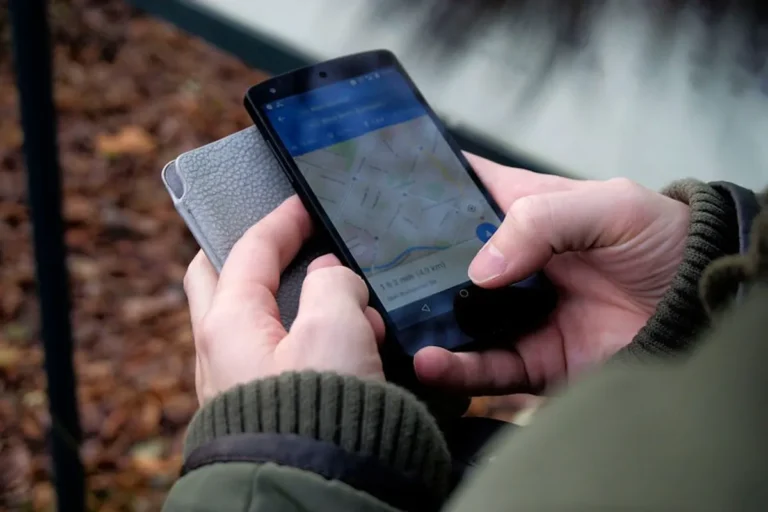
The term "Google Spirit Level" often refers to the digital level functionality found on Android devices, frequently accessed through simple apps or even directly within the Google Search application. While not a standalone Google-branded product, the widespread association stems from Android's prevalence and the ease with which users can find or install a digital level tool on their Google-powered smartphones. For many, a smartphone's built-in accelerometer and gyroscope provide a convenient, pocket-sized alternative to a traditional bubble level, offering quick checks for horizontal or vertical alignment in various scenarios.
However, the utility and precision of these digital tools vary significantly. Users seeking more advanced features, greater accuracy, or specialized functions for specific tasks often look beyond the most basic options. This guide explores the capabilities inherent in what users commonly refer to as a "Google Spirit Level," details its features and practical applications, and then presents a curated selection of alternatives that offer enhanced functionality, different interface designs, or cater to professional requirements.
What is a Digital Spirit Level?
A digital spirit level, or bubble level app, translates the physical principle of a traditional spirit level into a software application using a smartphone's internal sensors. Specifically, it leverages the accelerometer to detect the device's tilt relative to gravity and the gyroscope for rotational orientation. The app then displays this information visually, typically using a virtual bubble, a numerical degree readout, or a graphic representation of the device's angle. This allows users to determine if a surface is perfectly horizontal (level) or vertical (plumb) or to measure specific angles of inclination.
"Google Spirit Level" Explained
The concept of a "Google Spirit Level" primarily arises from two common user experiences on Android devices. First, many Android phones come with pre-installed utility apps that include a level function, or users can easily download numerous free spirit level apps from the Google Play Store. These apps often feature straightforward interfaces, mimicking a traditional bubble level. Second, a more direct association occurs when users type "level" into the Google Search bar on an Android smartphone. In many cases, Google Search will directly display a small, interactive level tool within the search results interface, allowing immediate use without needing to open a separate application. This direct integration makes it feel like a native Google utility, even if it's a simple, quick-access feature rather than a robust, dedicated product.
Features and Uses of Digital Spirit Levels
Digital spirit levels offer a range of features that extend beyond basic leveling. Common functionalities include:
- Bubble Display: A virtual bubble that moves to indicate tilt, similar to a physical level.
- Digital Readout: Numerical display of angles in degrees, often with one or two decimal places for precision.
- Calibration: The ability to zero out the level on a known flat surface to improve accuracy.
- Sound Alerts: Audible cues when the device reaches a perfectly level or plumb position.
- Hold Function: Freezes the current reading on the screen for easier viewing.
- Angle Measurement: Beyond 0° and 90°, some apps can measure any angle of inclination.
- Surface Level: A 2D display that shows tilt across both X and Y axes, useful for leveling tables or frames.
- Inclinometer/Clinometer: Specialized features for measuring slopes, gradients, or the angle of elevation/depression.
- Camera Integration: Some apps overlay level indicators onto the camera feed, useful for aligning objects in the real world.
Practical uses span various fields:
- Home Improvement: Hanging pictures, mounting shelves, leveling appliances, installing flooring.
- Construction: Checking slopes, ensuring structural elements are plumb, setting up equipment.
- Photography: Leveling tripods, ensuring horizontal horizons for landscape shots.
- Carpentry: Checking cuts, assembling furniture, installing cabinetry.
- Recreational Vehicles (RVs): Leveling campers for comfortable parking.
- DIY Projects: Any task requiring precise alignment or angle measurement.
What to Look For in an Alternative
When evaluating alternatives to basic digital level functions, consider several key factors to ensure the tool meets specific needs. Accuracy is paramount; look for apps that offer calibration options and display readings with sufficient decimal precision. User interface design impacts usability; a clean, intuitive layout with clear indicators and easy access to features is essential. Feature sets should align with your intended use—whether a simple bubble display suffices or if you require inclinometer functions, angle memory, or camera integration. Cross-platform availability might be important if you use multiple operating systems. Finally, consider the presence of advertisements or in-app purchases, as these can affect the user experience and access to premium features.
1. Bubble Level (by Plaincode)
This application stands out for its straightforward design and reliable performance across both Android and iOS. It aims to replicate the classic bubble level experience with a clear, responsive visual indicator, making it a popular choice for quick, everyday leveling tasks. The app prioritizes simplicity, focusing on core leveling functionality without overwhelming users with excessive features.
Key Features: Bubble level display, digital angle readout, calibration function.
Pricing: Free with ads; ad-free version available via in-app purchase.
Best For: General home use, quick checks, users who prefer a minimalist interface without complex features.
Pros:
- Intuitive and easy to use, mimicking a traditional tool.
- Accurate enough for most common household and DIY projects after calibration.
- Lightweight application with minimal resource usage.
Cons:
- Limited advanced features compared to more specialized apps.
- Ad-supported in its free version, which can be distracting for some users.
2. Spirit Level (by EXA Tools)
Spirit Level by EXA Tools is a well-regarded Android application that offers a comprehensive set of leveling and angle measurement tools. Beyond a standard bubble level, it includes a surface level display, clinometer, and a ruler, positioning it as a multi-utility tool for various measurement needs. Its design is functional, providing clear numerical and graphical feedback.
Key Features: Horizontal and vertical bubble levels, surface level (bull's eye), clinometer (inclinometer), ruler function, calibration.
Pricing: Free with ads; Pro version available for ad removal and additional features.
Best For: Users needing a versatile measurement toolkit for DIY, carpentry, and basic construction, especially on Android.
Pros:
- Combines multiple measurement tools in one app, offering good value.
- Clinometer function is useful for measuring slopes and angles beyond simple level/plumb.
- Clear digital readouts complement the bubble display for precision.
Cons:
- The interface, while functional, may feel less modern than some alternatives.
- Ad presence in the free version can interrupt workflow.
3. Measure (Apple iOS Built-in)
For iOS users, the built-in Measure app provides a native and highly integrated solution for both linear measurements and spirit leveling. While primarily known for its AR-based distance measurement, the "Level" tab within the app offers a clean, precise digital spirit level. It leverages Apple's hardware and software integration for a smooth, responsive experience, often requiring no additional downloads for iPhone users.
Key Features: Horizontal and vertical level, surface level, haptic feedback for level/plumb, AR measurement capabilities (separate function).
Pricing: Free, pre-installed on iOS devices.
Best For: iPhone users seeking a reliable, integrated, and ad-free level solution without needing to download third-party apps.
Pros:
- Seamless integration with iOS, offering a fluid user experience.
- Ad-free and no in-app purchases for the level function.
- Leverages Apple's hardware for potentially high accuracy and responsiveness.
Cons:
- Exclusive to iOS, making it unsuitable for Android users.
- Lacks advanced features like angle memory or specialized inclinometer modes found in dedicated apps.
4. Smart Tools (Android)
Smart Tools is a comprehensive suite of utilities for Android that includes a robust level tool. This app package integrates a wide array of measurement and utility features, such as a ruler, compass, sound meter, and flashlight, alongside its spirit level. The level component itself is highly functional, offering both bubble and surface level displays, making it a versatile option for users who frequently need multiple digital tools.
Key Features: Bubble level, surface level, inclinometer, protractor, and integration with other Smart Tools utilities (e.g., ruler, compass).
Pricing: Free with ads; Pro version available for ad removal and full feature access.
Best For: Android users who desire an all-in-one utility package that includes a reliable level, reducing the need for multiple single-purpose apps.
Pros:
- Extremely versatile, consolidating many useful tools into one application.
- The level function is accurate and provides clear visual feedback.
- Good for users who need more than just a level, such as a compass or sound meter.
Cons:
- The sheer number of tools might be overwhelming for users only seeking a simple level.
- Ad presence in the free version can be intrusive across the suite of tools.
5. Clinometer + bubble level (by PC Mehanik)
This app focuses specifically on precise angle measurement, making it more than just a basic spirit level. While it includes a standard bubble level, its strength lies in its inclinometer (clinometer) functionality, allowing users to measure angles of inclination or declination with high precision. It's often favored by professionals or serious DIY enthusiasts who require detailed angle data rather than just level/plumb indications.
Key Features: Digital clinometer, bubble level, angle memory, relative angle measurement, calibration, multiple units of measurement (degrees, percent, roof pitch).
Pricing: Free with ads; Pro version available for ad removal and advanced features.
Best For: Professionals in construction, carpentry, or engineering who require precise angle measurements and inclinometer capabilities.
Pros:
- High precision for angle measurement, often displaying to two decimal places.
- Robust clinometer features are superior to basic level apps.
- Supports various units of measurement, catering to diverse professional needs.
Cons:
- The interface might be less intuitive for casual users accustomed to simpler bubble levels.
- Some advanced features may be locked behind the Pro version.
6. Level Tool (by Netigen Tools)
Level Tool is another Android-specific application that offers a clean and functional digital level experience. It provides both a traditional bubble level and a surface level, making it suitable for checking alignment on various planes. The app focuses on delivering reliable leveling without unnecessary complexity, presenting information clearly through numerical and graphical indicators.
Key Features: Horizontal and vertical bubble levels, surface level, digital angle display, sound effects for level/plumb, calibration.
Pricing: Free with ads; ad-free version available via in-app purchase.
Best For: Users seeking a straightforward, reliable, and visually clear level tool for general purposes on Android devices.
Pros:
- Simple and uncluttered interface, easy to understand at a glance.
- Responsive and accurate for typical household and light professional use.
- Includes both linear and surface leveling capabilities.
Cons:
- Lacks advanced inclinometer or angle memory features.
- Ad presence in the free version can be a minor inconvenience.
7. AR Ruler App: Tape Measure & Cam (by Grymala)
While primarily an Augmented Reality (AR) ruler, this app often includes a level function as a supplementary utility. Its core strength lies in using a smartphone's camera to measure distances and dimensions in the real world through AR technology. The integrated level capitalizes on the same sensor data, offering a visual level that can be particularly useful for aligning objects within a live camera view, making it distinct from purely sensor-based levels.
Key Features: AR-based linear measurement, area and volume measurement, integrated bubble level, angle measurement, on-screen ruler.
Pricing: Free with limited features; subscription or one-time purchase for full access and ad removal.
Best For: Users who frequently need AR measurement capabilities and appreciate having a level integrated into a broader AR toolkit, especially for visual alignment tasks.
Pros:
- Combines AR measurement with leveling, offering unique visual alignment possibilities.
- Modern interface leveraging AR technology for a more interactive experience.
- Useful for tasks requiring both distance and level checks simultaneously.
Cons:
- The level function might be secondary to the AR ruler, potentially less prominent.
- Full functionality often requires a paid subscription or purchase, making it less accessible for casual use.
- Accuracy can be influenced by lighting conditions and device camera quality for AR features.
How to Choose the Right Alternative
Selecting the optimal digital spirit level alternative involves matching an app's capabilities with your specific needs. For basic household tasks like hanging a picture, a simple, free bubble level app with a clear display and calibration feature, such as Bubble Level by Plaincode or Level Tool by Netigen Tools, will likely suffice. If you're an iOS user, the built-in Measure app is a highly convenient and reliable option. Professionals in carpentry or construction, or serious DIYers who require precise angle measurements for slopes or pitches, should consider apps like Clinometer + bubble level, which offer advanced inclinometer functions and multiple units of measurement. For those who prefer an all-in-one utility suite, Smart Tools provides a comprehensive package on Android. If your work involves both measurement and visual alignment in real-world spaces, an AR-enabled app like AR Ruler App could be beneficial. Always prioritize apps that offer calibration to ensure the highest possible accuracy for your device, and consider the impact of ads versus the cost of a premium, ad-free version based on your usage frequency.
Frequently Asked Questions
Are digital spirit levels as accurate as physical ones?
Digital spirit levels can be highly accurate for most common tasks, especially after proper calibration. However, their precision depends on the quality of your phone's sensors and the app's algorithms. For critical, high-precision work, a professional-grade physical level or dedicated digital inclinometer might still be preferred.
How do I calibrate a digital spirit level?
Most digital spirit level apps include a calibration option. Typically, you place your phone on a known flat, level surface (like a sturdy table), then follow the on-screen instructions to zero out the readings. This process helps compensate for minor sensor variations or phone case irregularities, improving accuracy.
Why do some apps have a "surface level" or "bull's eye" feature?
A surface level, often called a bull's eye level, displays the tilt across two axes (X and Y) simultaneously. This is useful for leveling a flat surface like a table, workbench, or appliance, where you need to ensure it's level in all directions, not just along a single edge.
Can I use these apps for professional construction work?
For many routine construction tasks, especially non-structural or finishing work, digital spirit levels can be very useful. However, for critical structural elements or tasks requiring certified precision, it's advisable to use professional-grade tools specifically designed and calibrated for such applications. Always verify accuracy for demanding tasks.
Do these apps consume a lot of battery?
Basic spirit level apps generally consume minimal battery power, as they primarily use the accelerometer and gyroscope, which are low-power sensors. Apps with more complex features, such as AR integration or continuous measurement, might consume more battery due to camera usage or more intensive processing.